Building a Poor-Man's OUI-Spy
Turning a $5 ESP32 into a Dedicated BLE Scanner for RF Sentinel
If you've ever experimented with mobile RF awareness tools, you probably know the bottleneck of relying solely on an Android phone's internal Bluetooth radio. Between aggressive OS scan throttling, power-saving background limits, and Android's API restrictions on raw advertising payloads, a phone alone only catches a fraction of what is actually transmitting nearby.
Dedicated hardware solves that problem—which is why projects like Colonel Panic's OUI-Spy have become so popular in the wireless security and situational awareness community. Pairing external scanning hardware with RF Sentinel—a free, open-source, no-root Android app designed to detect surveillance equipment, body cameras, ALPRs, trackers, and Remote ID drones—dramatically improves visibility into the surrounding RF environment.
The catch? Purpose-built hardware isn't always sitting on your desk when you want to test a setup, and if you already have a drawer full of generic ESP32 development boards, buying another piece of hardware just to get basic continuous BLE scanning over USB feels unnecessary.
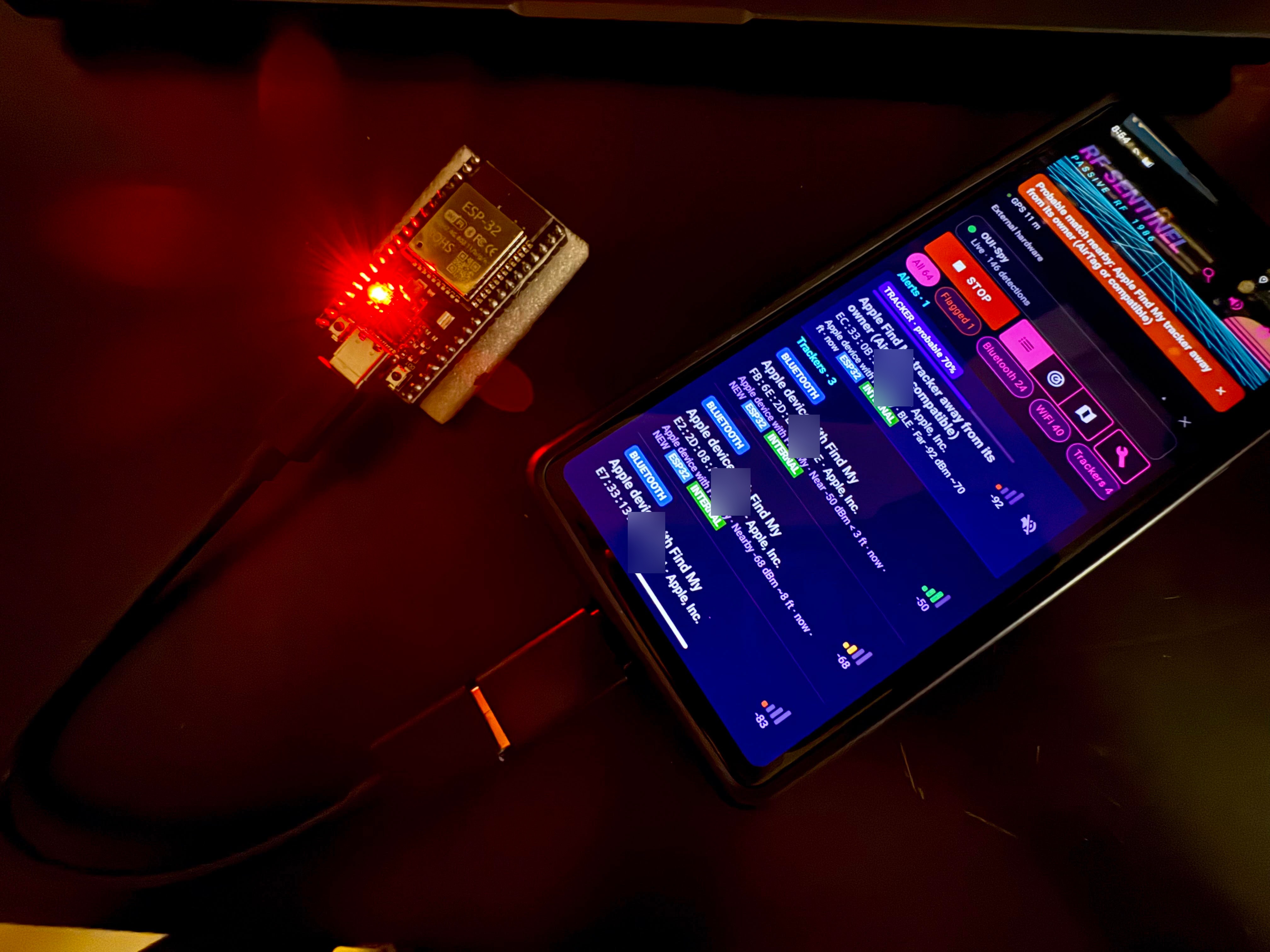
rfsentinel_ble_bridge was built to bridge that gap: lightweight, zero-dependency ESP-IDF firmware that turns any base ESP32 board into a plug-and-play USB BLE scanner that RF Sentinel natively recognizes as an OUI-Spy board.
Why I Built It (and Why GhostESP Emulation Wasn't Enough)
RF Sentinel already supports an impressive lineup of external USB boards out of the box—including OUI-Spy, GhostESP, ESP32 Marauder, FREE-WiLi 2, V2X2MAP receivers, and Meshtastic/MeshCore radios.
My first instinct was to emulate GhostESP, since its serial interface is simple: RF Sentinel sends help to identify the board, then loops through scanap, stopscan, and list -a to pull discovered devices. However, digging into RF Sentinel's serial parser (EspReports.kt) revealed a major limitation for a BLE-only scanner:
EspSighting(
    mac = m.groupValues[2].uppercase(),
    rssi = RSSI.find(rest)?.groupValues?.get(1)?.toIntOrNull() ?: -90,
    ble = false, name = ssid,
    ...
)
RF Sentinel's GhostESP parser hardcodes ble = false because GhostESP's list -a command is intended for Wi-Fi access points. Feeding BLE advertisements through a GhostESP emulator works on paper, but every Bluetooth device gets misclassified as a Wi-Fi network—stripping out manufacturer IDs, service UUIDs, and any BLE-specific detection rules in the app.
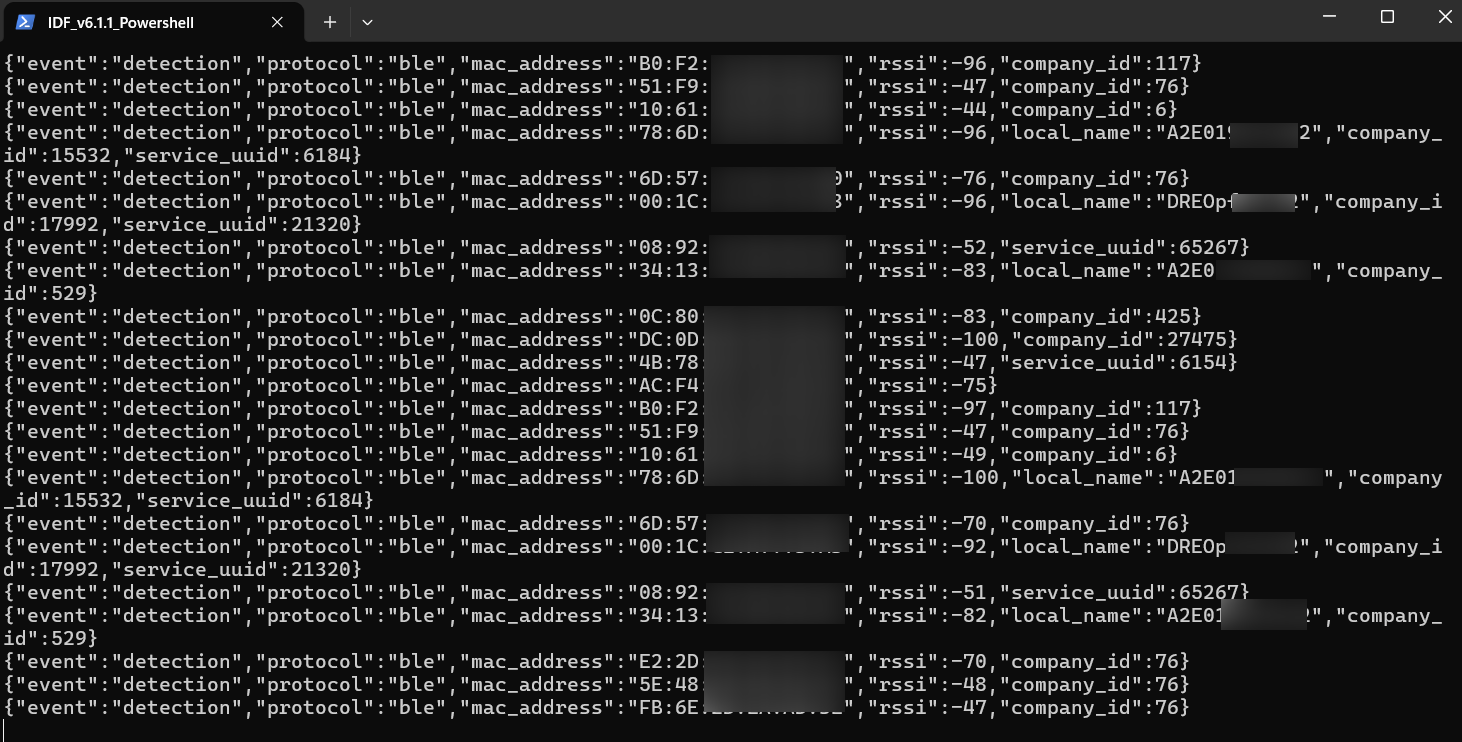
Looking one block over in EspReports.kt at OuiSpyReports showed a much better target. In Detector mode, an OUI-Spy board speaks newline-delimited JSON over 115200-baud UART, and its parser explicitly extracts true BLE metadata:
"protocol": "ble"setsble = trueandfrequencyMhz = 0.company_idcaptures 16-bit Bluetooth SIG Manufacturer Specific Data company identifiers (such as Apple, Tile, or Axon).service_uuidcaptures 16-bit advertised service UUIDs and service data UUIDs.mac_address,rssi, andlocal_nameround out the sighting.
Even better: if the JSON object omits OUI-Spy's internal alert fields (detection_method, detection_tier, and matched_signature), RF Sentinel ingests the raw sighting with an empty hits list and runs its own detection rules against the device's MAC OUI, manufacturer ID, service UUID, and name. That means the ESP32 doesn't need a massive signature database—it just acts as a fast, unfiltered BLE sensor while RF Sentinel handles all the intelligence on the phone.
How rfsentinel_ble_bridge Works Under the Hood
The firmware is written in C on top of ESP-IDF using the NimBLE host stack rather than Bluedroid to keep memory overhead low and scanning throughput high.
1. The USB Handshake & Command Protocol
When you plug a USB serial device into an Android phone running RF Sentinel, EspReader.kt runs a non-destructive identification sequence:
- It listens passively for 4 seconds to see if the board is already streaming OUI-Spy or V2X banners.
- If nothing recognizable arrives, it sends
CMD:VERSION\n.
rfsentinel_ble_bridge announces itself shortly after boot—and whenever it receives CMD:VERSION—with a single JSON line:
{"firmware":"OUI-SPY","mode":"ble_detector"}
This matches both OuiSpyReports.recognises() ("OUI-SPY") and OuiSpyReports.modeOf() ("mode":"ble_detector"), locking RF Sentinel into Mode.DETECTOR. Immediately after recognizing Detector mode, RF Sentinel sends CMD:DUMP_LIVE\n to pull everything currently cached in the board's RAM, then passively reads the serial stream from that point forward.
2. Continuous 100% Duty-Cycle NimBLE Scanning
Instead of scanning in bursts and sleeping, rfsentinel_ble_bridge configures NimBLE's GAP discovery parameters for continuous reception:
- 100% Duty Cycle: Both
itvl(scan interval) andwindow(scan window) are set to0x0050(50 ms), keeping the radio receiver listening continuously without gaps. - Duplicate Filtering Disabled:
filter_duplicates = 0ensures the ESP32 processes every advertising packet from every nearby device, keeping RSSI readings fresh as you move and allowing both primary advertising packets and scan responses to merge into the same device record. - Strictly Passive by Default:
params.passive = 1keeps the ESP32 completely RF-silent (noSCAN_REQframes transmitted). If you want to solicit extra device names sent only inSCAN_RSPpackets, flippingparams.passiveto0enables active scanning in one line.
3. Advertising Payload Extraction & Rolling Cache
Every incoming BLE_GAP_EVENT_DISC event is parsed with ble_hs_adv_parse_fields() to pull:
- Device Name (
local_name): Sanitized to printable ASCII and JSON-escaped so unusual characters in a device name never break the JSON parser. - Company ID (
company_id): Extracted from the first two little-endian bytes of Manufacturer Specific Data (AD Type 0xFF). - 16-Bit Service UUID (
service_uuid): Extracted from 16-bit Service UUID lists (0x02/0x03) or 16-bit Service Data (0x16), which is where many trackers and personal safety devices broadcast their identifiers.
Because busy environments can produce hundreds of BLE packets per second, flooding the UART link with every raw packet would bottleneck serial I/O. Instead, rfsentinel_ble_bridge maintains a mutex-protected 128-entry rolling cache in RAM:
- Devices unseen for 15 seconds (
STALE_TIMEOUT_US) are evicted to free slots for new hardware. - A background FreeRTOS task (
report_task) throttles serial output to at most one JSON line per second per MAC address (REPORT_INTERVAL_US), ensuring smooth, real-time RSSI updates in RF Sentinel without saturating the USB serial buffer. - All ESP-IDF system logging is compiled out (
CONFIG_LOG_DEFAULT_LEVEL_NONE=y) so boot messages or stack warnings never corrupt the JSON stream.
How This Boosts RF Sentinel's Capabilities
Offloading BLE scanning from your phone's internal radio to a $5 ESP32 changes how RF Sentinel behaves in the field:
- Bypasses Android Scan Throttling: Android restricts apps from starting/stopping scans repeatedly and throttles background BLE callbacks to save battery. The ESP32 runs a dedicated RTOS loop with zero OS-level scan throttling.
- Full Advertising Metadata: Android's standard BLE scan APIs occasionally obscure or filter fields depending on OS version and permissions. NimBLE hands over raw advertising structures directly, reliably surfacing
company_idandservice_uuidvalues for RF Sentinel's signature matcher. - Dedicated RF Front-End & Placement: Because the ESP32 connects over USB, you can run a longer cable or use a board with an external U.FL/SMA antenna connector (like an ESP32-WROOM-32U) to position the antenna on a dashboard or backpack strap while keeping your phone in your pocket.
- Zero Battery Drain on the Phone's Radio: The ESP32 draws negligible current over OTG while taking over continuous 2.4 GHz reception.
Getting Started
If you have an ESP-IDF v5.x environment set up and a standard ESP32 board on hand, flashing takes less than a minute:
git clone https://github.com/AgeOfMarcus/rfsentinel_ble_bridge
cd rfsentinel_ble_bridge
idf.py set-target esp32
idf.py build
idf.py -p /dev/ttyUSB0 flash   # or COMx on Windows
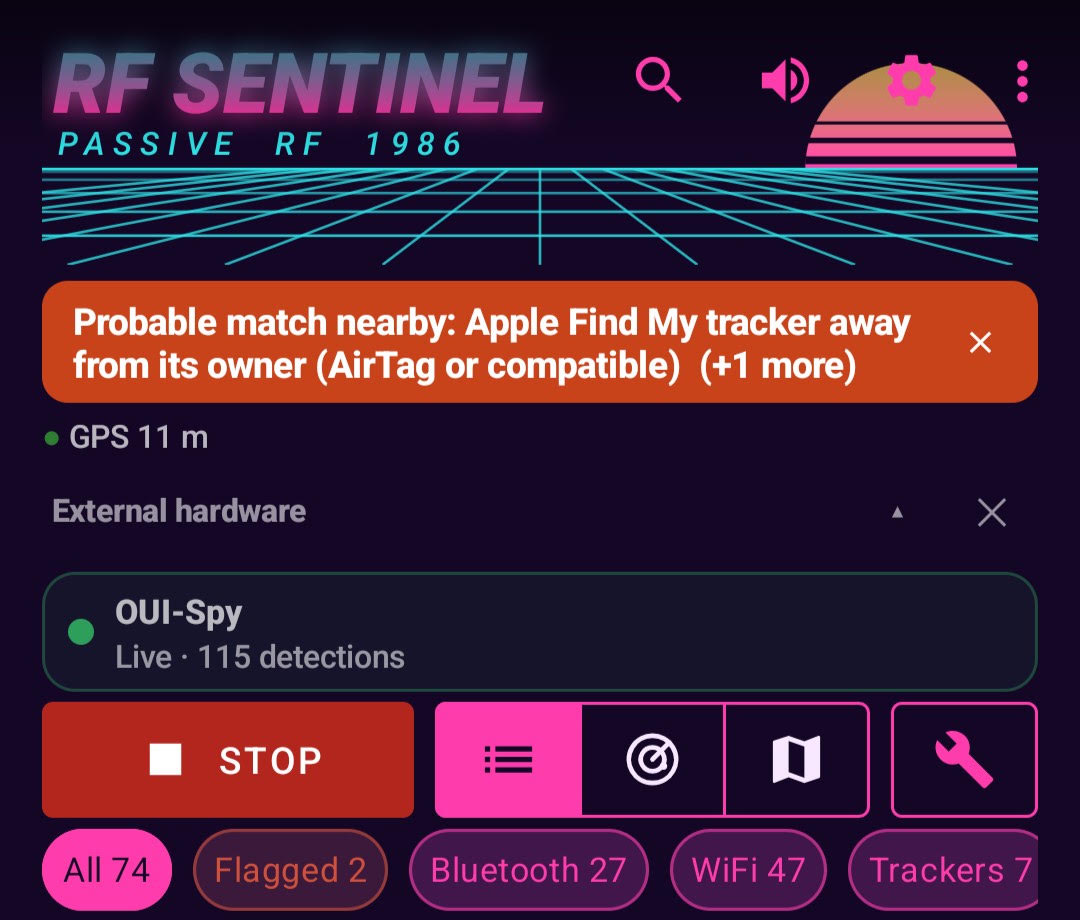
Once flashed, plug the ESP32 into your Android device using a USB OTG adapter or data-capable USB-C cable, open RF Sentinel, and connect the USB serial device. Within a second, the status indicator will switch to OUI-Spy Detector · live and begin populating nearby BLE devices in real time.
(Note: While rfsentinel_ble_bridge covers continuous BLE scanning, genuine OUI-Spy hardware from Colonel Panic still brings dedicated dual-mode Wi-Fi + BLE firmware, built-in hardware indicators, and specialized modes like Foxhunter and Sky Spy—so consider this a great stopgap for your spare dev boards, and support the original hardware project if you want the full feature set!)
About the author
Started off with ethical hacking, but now I'm more of a developer. Grew up in the USA & UK. Currently at Western Carolina University.
Comments
Join the discussionNo comments yet. Be the first to comment.